Moving information from a computer to a smartphone is something we do every day.
You might find a useful webpage on your laptop and want to open it on your phone. You may need to transfer a piece of text, share a Wi-Fi network, send a UPI payment link, or quickly open a phone number on another device.
Usually, this means copying information, sending it to yourself through WhatsApp or email, opening another website to generate a QR code, or using some other workaround.
QRFlow is designed to make that entire process much simpler.
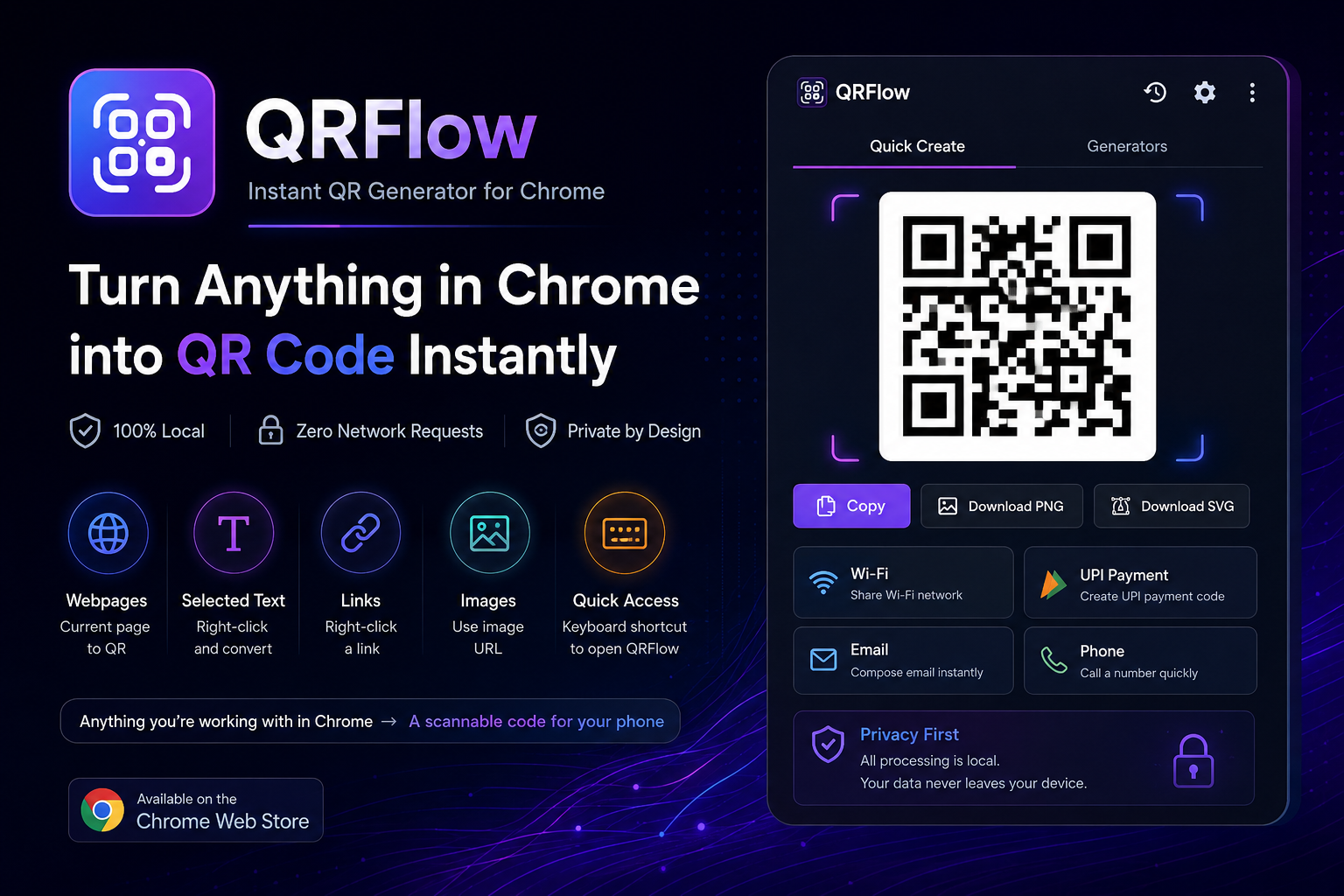
It is a Chrome extension that lets you turn webpages, selected text, links, image URLs, and other information into QR codes directly inside Chrome — with a strong focus on privacy and local processing.
What Is QRFlow?
QRFlow — Instant QR Generator for Chrome is a browser utility built around one simple idea:
Anything you’re working with in Chrome → a scannable QR code you can use on your phone.
Instead of leaving your browser and opening an online QR-code generator, QRFlow lets you generate the code directly from your current browser workflow.
Open a webpage, right-click some text, right-click a link, or enter your own content. Generate the QR code, scan it with your phone, and continue.
No complicated workflow. No account. No unnecessary websites.
Turn a Webpage into a QR Code
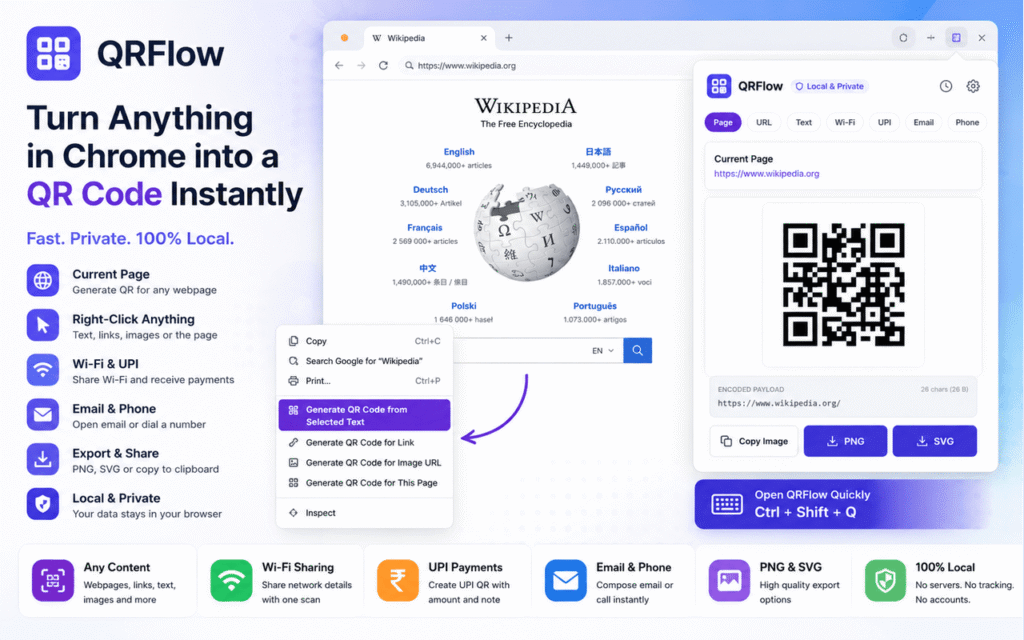
One of the simplest use cases is sharing the webpage you’re currently viewing.
Suppose you’re researching something on your computer and want to continue reading it on your smartphone.
With QRFlow, you can generate a QR code for the current webpage and scan it with your phone.
This is particularly useful when:
- You are working on a desktop and want the page on your phone
- You want to share a webpage with someone nearby
- You are preparing a presentation or demonstration
- You want to quickly transfer a URL without typing it manually
The QR code becomes a simple bridge between your computer screen and smartphone.
Convert Selected Text into a QR Code
QRFlow can also work with selected text.
Select any text on a webpage, right-click it, and generate a QR code.
This can be useful for transferring:
- Short notes
- Reference numbers
- Search queries
- Instructions
- Short messages
- Addresses
- Codes or identifiers
- Small pieces of information that are inconvenient to type on a phone
Instead of manually typing the information again, simply scan it.
Right-Click Any Link
QRFlow also integrates directly into Chrome’s right-click menu.
When you encounter a link, you can generate a QR code for it without first copying the URL.
The workflow is simple:
Right-click link → Generate QR → Scan
This makes QRFlow particularly convenient when you’re browsing through documentation, articles, product pages, research material, or other websites.
Generate a QR Code from an Image URL
Images can also be converted into QR codes through their URLs.
Right-click an image and use QRFlow to generate a scannable version of its image URL.
This can be useful when you want to quickly open the same online image on your smartphone without manually transferring the URL.
Enter Your Own Content
QRFlow isn’t limited to browser content.
You can open the extension and enter your own URL or text manually.
This makes it useful as a general-purpose QR generator while still keeping the workflow inside Chrome.
Built-In QR Generators
QRFlow goes beyond basic URLs and text by providing dedicated generators for several common scenarios.
📶 Wi-Fi QR Codes
Sharing Wi-Fi credentials can be surprisingly inconvenient.
You normally have to tell someone the network name and password and they then need to enter the details manually.
QRFlow can generate a Wi-Fi QR code containing the connection details.
The other person can scan the code using their smartphone and use the encoded network information to connect.
This is useful for:
- Homes
- Offices
- Classrooms
- Labs
- Shops
- Events
- Guest networks
💳 UPI QR Codes
For users in India, QR-based payments are already part of everyday life.
QRFlow includes a dedicated UPI generator where you can create a payment QR code using information such as:
- UPI ID
- Payee name
- Optional amount
- Optional payment note
This can be useful when you need to quickly create a scannable payment code without manually constructing a UPI payment URL.
📧 Email QR Codes
QRFlow can also create QR codes for email addresses.
You can optionally include:
- Email address
- Subject
- Message
Scanning the generated code can open the corresponding email action on a smartphone.
This can be useful for posters, forms, contact information, events, and simple communication workflows.
📞 Phone Number QR Codes
Need to share a phone number?
Instead of typing it manually, generate a QR code containing the number.
A smartphone can scan the code and quickly access the phone number.
This can be useful for contact cards, posters, displays, business information, and temporary signage.
PNG and SVG Export
QRFlow isn’t limited to scanning codes directly from the browser.
You can also export generated QR codes.
Supported formats include:
PNG — convenient for everyday sharing and digital use.
SVG — useful when you need a scalable QR code for:
- Presentations
- Posters
- Documents
- Brochures
- Print materials
- Graphic designs
SVG is especially useful for designs where the QR code needs to be resized without losing its sharpness.
You can also copy the generated QR image directly to your clipboard.
Privacy Comes First
The most important design decision behind QRFlow is its approach to privacy.
Many online QR-code generators work by sending the content you provide to a web server.
For something as simple as generating a QR code, that can be unnecessary.
QRFlow takes a different approach.
100% Local QR Generation
QRFlow processes the content used for QR generation locally inside Chrome.
Your text, URLs, Wi-Fi details, UPI information, or other QR content does not need to be uploaded to a QR-generation service.
No code-generation server is required.
That means the core QR-generation workflow can happen directly on your device.
No Account Required
QRFlow doesn’t require you to create an account before generating a QR code.
Open the extension, provide the content, generate the code, and use it.
No Browsing History or Cookie Access
QRFlow is designed around the minimum access needed for its functionality.
It does not need access to your browsing history or cookies, and it does not require access to all websites simply to generate QR codes.
Local History
QRFlow includes an optional history feature for previously generated QR codes.
Importantly, history is:
Stored locally in Chrome and disabled by default.
Wi-Fi and UPI entries are also excluded from history storage.
This keeps sensitive information from unnecessarily becoming part of a persistent QR-generation history.
A Simple Computer-to-Phone Bridge
One of the interesting things about QR codes is that they don’t require pairing, accounts, cables, or special software on both devices.
Your computer displays information.
Your smartphone scans it.
That’s it.
QRFlow takes advantage of this simple interaction and turns Chrome into a convenient bridge between the two devices.
The workflow can be summarized as:
Browse → Generate → Scan → Continue
For many small information-transfer tasks, that’s all you need.
Why a Chrome Extension Instead of a Website?
You could always search for an online QR-code generator.
But that introduces additional steps.
You have to:
- Open another website
- Copy the information
- Paste it
- Generate the QR code
- Return to your original workflow
With a browser extension, the QR generator is already where the information exists.
For example:
Webpage: Right-click → Generate QR
Text: Select → Right-click → Generate QR
Link: Right-click → Generate QR
Image: Right-click → Generate QR
Custom content: Open QRFlow → Enter content → Generate
The difference may seem small, but eliminating these little interruptions makes a utility much more pleasant to use.
Designed for Everyday Use
QRFlow can be useful in many different situations.
For Students
Share links to learning resources, documentation, assignments, or notes between a laptop and smartphone.
For Teachers
Display QR codes for webpages, resources, forms, classroom activities, or contact information.
For Developers
Quickly transfer URLs, documentation links, test endpoints, or small pieces of text between development machines and mobile devices.
For Businesses
Create Wi-Fi, UPI, contact, email, and URL QR codes without relying on an external QR-generation website.
For Presentations
Generate QR codes for websites, resources, registration pages, documents, or references and export them as SVG for use in presentation designs.
For Everyday Browsing
Whenever you think, “I wish I could open this on my phone,” QRFlow provides a quick solution.
Built Around One Simple Principle
QRFlow isn’t trying to be a complicated productivity platform.
Its purpose is much simpler.
Take something you’re already working with in Chrome and turn it into something your phone can scan.
No unnecessary workflow.
No account.
No copy-pasting into another website.
No need to send your content to a QR-generation server.
Just generate the code and scan it.
Try QRFlow
QRFlow is available as a Chrome extension.
QRFlow — Instant QR Generator for Chrome
If you frequently move information between your computer and smartphone, QRFlow is a small utility that can remove a surprising amount of friction from that workflow.
Anything in Chrome → One QR Code → Your Phone.
And because the generation happens locally, you can keep the workflow simple without unnecessarily sending your content to the internet.
#ChromeExtension #QRCode #Privacy #Productivity #Chrome #BrowserTools #UPI #WiFi #TechTools #DeveloperTools