The modern web is filled with distractions—advertisements, cookie banners, pop-ups, sidebars, autoplay videos, and endless notifications. Instead of helping you focus, many websites compete for your attention.
Zen-Reader Tool changes that.
Zen-Reader Tool is a lightweight Chrome extension that transforms any webpage into a clean, beautiful, Kindle-like reading experience with a single click. Everything runs locally on your device, so your reading stays completely private.
Why Zen-Reader Tool?
Whether you’re reading technical documentation, research papers, news articles, blog posts, or long-form essays, staying focused can be difficult.
Zen-Reader Tool removes the clutter and lets you concentrate on what truly matters—the content.
No accounts.
No subscriptions.
No tracking.
Just better reading.
Key Features
📖 Focus Mode
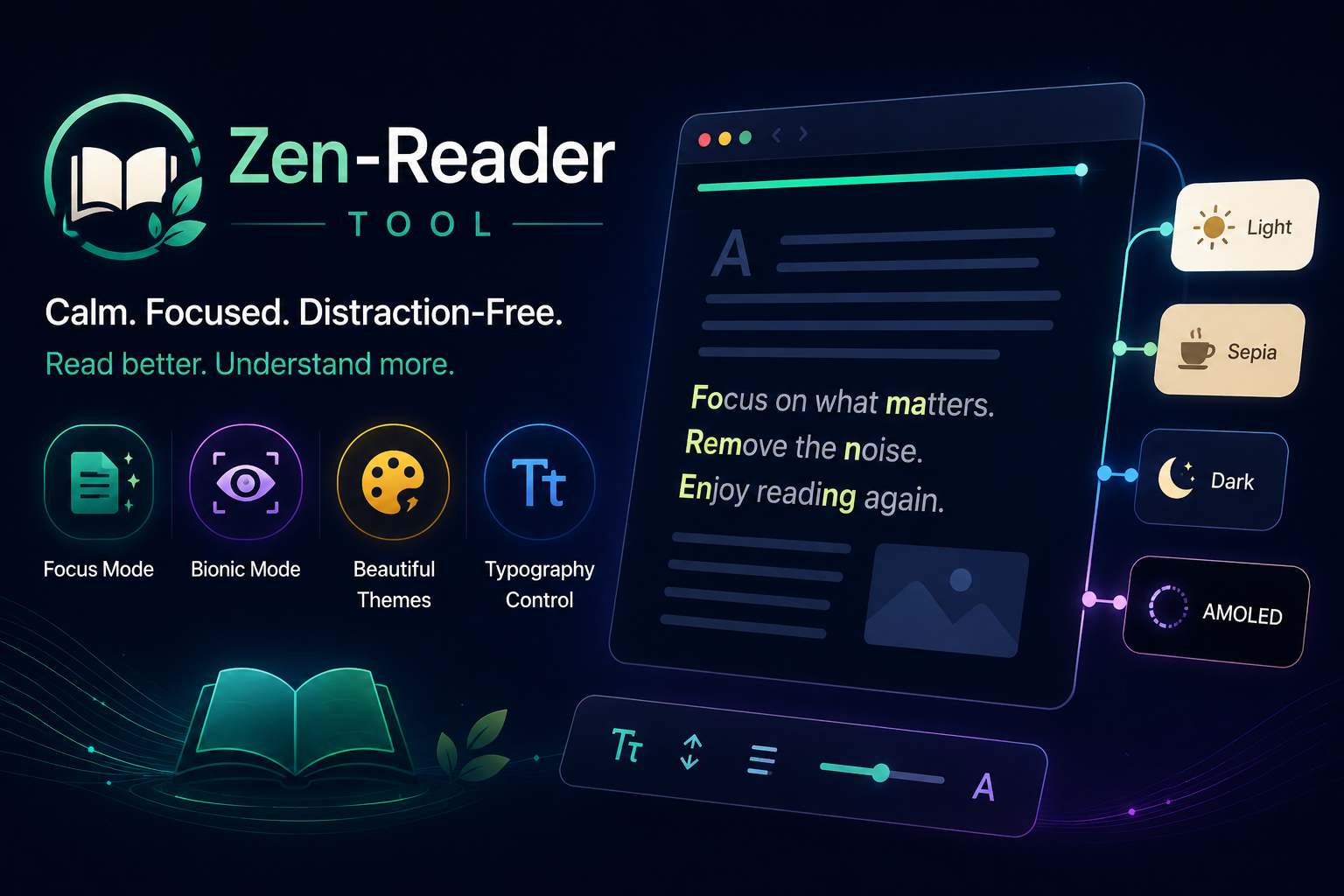
Activate Focus Mode to instantly remove common distractions from webpages.
Zen-Reader Tool intelligently hides:
- Advertisements
- Cookie consent banners
- Newsletter popups
- Sticky headers
- Floating sidebars
- Social sharing widgets
- Comment sections
- Other visual clutter
The result is a clean, immersive reading environment that feels more like reading an ebook than browsing the web.
⚡ Bionic Reading Mode
Want to read faster while improving comprehension?
Enable Bionic Mode to emphasize the beginning of each word, creating natural visual fixation points that guide your eyes through the text.
Many readers find this especially useful for:
- Long technical articles
- Documentation
- Academic papers
- ADHD-friendly reading
- Reducing screen fatigue

🎨 Beautiful Reading Themes
Every reader has different preferences, so Zen-Reader Tool includes four carefully designed themes.
☀️ Light
A crisp, high-contrast theme that’s perfect for daytime reading.
📜 Sepia
A warm paper-like appearance that reduces eye strain during extended reading sessions.
🌙 Dark
A modern dark interface with reduced glare for comfortable evening reading.
⚫ AMOLED
A true black theme designed for OLED displays, offering maximum contrast while helping conserve battery life on compatible devices.
✍️ Complete Typography Control
Reading comfort isn’t just about colors.
Zen-Reader Tool lets you personalize your reading experience by adjusting:
- Font family
- Font size
- Line height
- Paragraph spacing
- Content width
Create a layout that feels perfect for your eyes and your reading style.
⌨️ Keyboard-Friendly
Power users can stay entirely on the keyboard.
Quick shortcuts make it easy to:
- Open Zen-Reader
- Toggle Bionic Mode
- Change themes
- Adjust font size
- Exit Focus Mode
Everything is designed for a fast, uninterrupted workflow.
Privacy Comes First
Unlike many browser extensions, Zen-Reader Tool is built with privacy as a core principle.
- ✅ Everything runs locally
- ✅ No cloud processing
- ✅ No analytics
- ✅ No tracking
- ✅ No accounts required
- ✅ No external servers
Your browsing habits and reading history never leave your computer.
Who Is It For?
Zen-Reader Tool is perfect for:
- 📚 Students
- 🎓 Researchers
- 👨💻 Developers
- ✍️ Writers
- 📰 News readers
- 📖 Book lovers
- 💼 Professionals who read online all day
If you spend hours reading on the web, Zen-Reader Tool helps make every page calmer, cleaner, and easier to read.
Read Better. Focus Longer.
The internet doesn’t have to be noisy.
With Focus Mode, Bionic Reading, customizable typography, and four eye-friendly themes, Zen-Reader Tool transforms ordinary webpages into a peaceful reading environment that helps you stay focused and productive.
Whether you’re reading for work, study, or pleasure, Zen-Reader Tool gives you a better way to experience the web.
Read less distraction. Understand more.